Lesson 9.4 · Reading time: ~8 minutes
This lesson introduces views (VIEW), SQL objects that let you save a query under a name and then use it as if it were a regular table. You will learn how to create views, how they differ from tables and temporary tables, and in which tasks they are especially useful. By the end of this lesson, you will be able to confidently use views to simplify complex queries and reuse logic.
Views (VIEW) in SQL
In the previous lesson, we talked about temporary tables, which help store intermediate results during a session. Now let’s look at another important SQL tool: views. They also help simplify work with complex queries, but they do so in a different way.
A view allows you to save a SELECT query under a separate name and then reuse it later. This is especially useful in reporting, analytics, and scenarios where the same result set needs to be read many times.
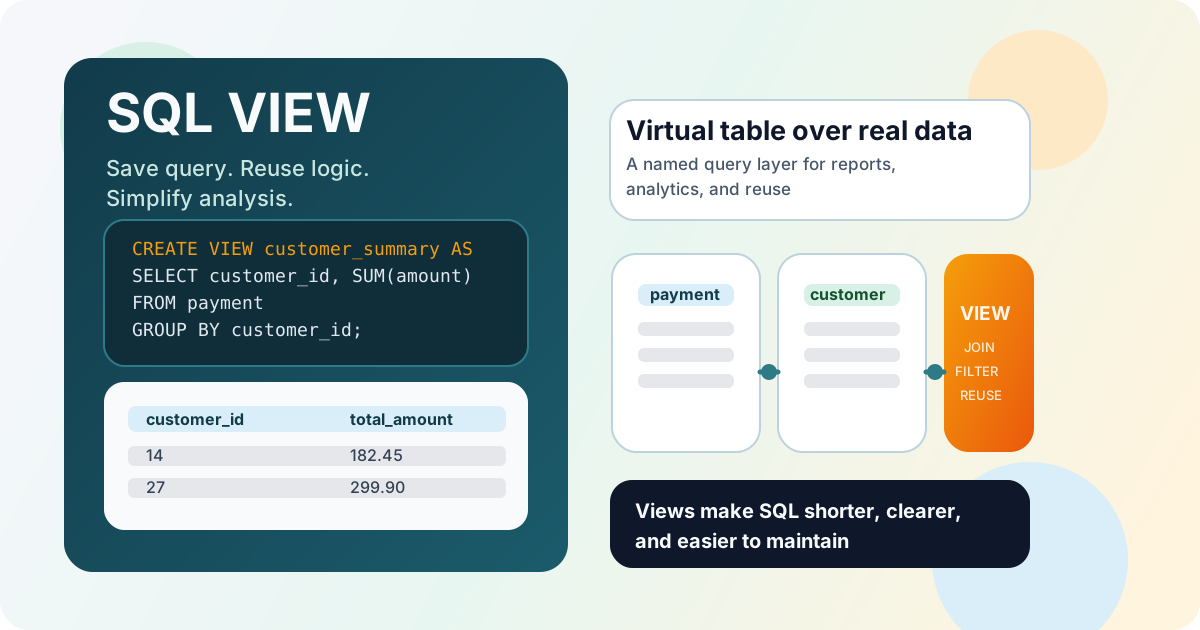
What Is a View
A view (VIEW) is a database object that stores not the data itself, but the SQL query used to retrieve it.
In simpler terms, a view can be thought of as a “virtual table”:
- it has a name;
- it can be queried with
SELECT; - it usually shows data from one or more tables;
- it helps hide complex query logic behind a simpler interface.
When you query a view, the DBMS usually executes the stored query and returns the current result based on the underlying tables.
Basic Syntax
A view is created with CREATE VIEW:
CREATE VIEW view_name AS
SELECT column1, column2, column3
FROM table_name
WHERE condition;
After that, you can query the view almost like a table:
SELECT *
FROM view_name;
It is important to understand that a regular view stores the query logic, not a separate copy of the result.
If a view is no longer needed, you can remove it with DROP VIEW:
DROP VIEW view_name;
In many DBMSs, a safer option is DROP VIEW IF EXISTS view_name;, which removes the object only when it exists and helps avoid errors in deployment scripts.
Example: Creating a View
Suppose we often want to get a list of customers together with the total amount of their payments. Instead of writing the same query every time, we can create a view:
CREATE VIEW customer_payment_summary AS
SELECT c.customer_id,
       c.first_name,
       c.last_name,
       SUM(p.amount) AS total_amount,
       COUNT(p.payment_id) AS payment_count
FROM customer c
JOIN payment p ON c.customer_id = p.customer_id
GROUP BY c.customer_id, c.first_name, c.last_name;
Now this logic is much easier to use:
SELECT customer_id, first_name, last_name, total_amount
FROM customer_payment_summary
ORDER BY total_amount DESC;

SELECT AVG(total_amount) AS avg_customer_revenue
FROM customer_payment_summary;
Result: the complex aggregation is defined once inside the view, and after that you can work with it like with a regular dataset in several separate queries.
How a View Differs from a Regular Table
Although a view often looks like a table, there are important differences between them.
1. Data Storage
- A regular table stores data physically.
- A view usually stores only the SQL query.
2. Result Source
- A regular table contains its own rows.
- A view shows data obtained from other tables or even other views.
3. Data Freshness
- A regular table changes only after
INSERT,UPDATE, orDELETE. - A view usually shows the current state of the underlying tables at query time.
4. Purpose
- A regular table is used to store business data.
- A view is used to simplify reading, reuse, and logical organization of queries.
5. Data Modification
- A regular table is directly intended for inserting, updating, and deleting rows.
- A view can in some cases also support data modification, but that depends on the specific DBMS and on how complex the query inside the
VIEWis.
When Views Are Especially Useful
Views are worth using if:
- the same query has to be repeated many times;
- you want to hide complex
JOINs, filters, and aggregations behind a simpler name; - you want to give users or reports access not to a full table, but only to the needed columns and rows;
- you want to make analytical SQL easier to read and maintain.
For example, you can create a view only for expensive films:
CREATE VIEW expensive_films AS
SELECT film_id, title, rental_rate, rating
FROM film
WHERE rental_rate >= 4.00;

SELECT title, rental_rate
FROM expensive_films
ORDER BY rental_rate DESC, title;
Result: the main filtering logic is saved in one place, so in later queries you do not need to repeat the condition WHERE rental_rate >= 4.00 every time.
View vs. Temporary Table
Views and temporary tables can solve similar tasks, but there are important differences between them.
- A temporary table usually exists for a limited time and stores intermediate data separately.
- A view is usually a permanent schema object and stores only the query.
- A temporary table is convenient when you need to physically keep an intermediate result for several steps.
- A view is convenient when you need to reuse the same selection logic many times.
- A temporary table is more often used inside a data-processing workflow.
- A view is more often used as a convenient named access layer over data.
If you need an intermediate result that must exist separately and may be processed further, a temporary table is often the better choice. If you simply need to define a convenient representation over existing data once, VIEW is usually a better fit.
Can You Modify Data Through a View
In many DBMSs, simple views can be used not only for reading but also for modifying data. For example, this may be possible if the view is based on a single table and does not contain complex aggregates, GROUP BY, DISTINCT, or joins between several tables.
For example, a simple view may look like this:
CREATE VIEW active_customers_basic AS
SELECT customer_id, first_name, last_name, active
FROM customer
WHERE active = 1;
In some DBMSs, you can run UPDATE through such a view. But you should not rely on this as a universal rule: the more complex the view logic is, the less likely it is to be updatable.
In practice, views are more often used for reading and simplifying queries.
What to Pay Attention To
When working with views, it is useful to keep several rules in mind:
- give views clear names that reflect their meaning;
- do not hide too much logic inside one view if that makes it hard to read;
- remember that query performance against a view depends on the query inside it and on the underlying tables;
- do not assume automatically that any view supports
INSERT,UPDATE, orDELETE; - check whether a plain
SELECT, a CTE, or a temporary table would be simpler in a particular task; - consider DBMS-specific features such as
CREATE OR REPLACE VIEWor view updatability rules.
A well-designed view makes SQL shorter, clearer, and easier to reuse.
Practical Example
Imagine that analysts regularly need a list of films together with their category names. Instead of writing the same JOINs every time, you can create a view:
CREATE VIEW film_category_details AS
SELECT f.film_id,
       f.title,
       f.rental_rate,
       c.name AS category_name
FROM film f
JOIN film_category fc ON f.film_id = fc.film_id
JOIN category c ON fc.category_id = c.category_id;
After that, any query becomes simpler:
SELECT title, category_name, rental_rate
FROM film_category_details
WHERE category_name = 'Comedy'
ORDER BY rental_rate DESC, title;

SELECT category_name, COUNT(*) AS film_count
FROM film_category_details
GROUP BY category_name
ORDER BY film_count DESC;
This approach is convenient because the complex table relationship is defined once. After that, analysts, reports, and applications can use a ready-made logical layer without constantly repeating the same JOIN logic.
Frequently Asked Questions
Does a view store data or only the query?
In a standard implementation, a VIEW stores only the SQL definition, not a separate copy of rows. When queried, the DBMS builds the result from the underlying tables.
When should I choose a view instead of a temporary table?
A VIEW is better when you need to reuse the same reading logic many times. A temporary table is better when you need to physically persist an intermediate result across several processing steps.
Can views improve performance by themselves?
Not automatically. Performance depends on the query inside the VIEW, indexing on source tables, and the execution plan.
Interview Questions
What is a SQL view and how does it work?
A view is a named SQL query saved as a schema object. When you run SELECT against it, the DBMS executes the stored definition and returns a virtual table result.
How is a view different from a regular table?
A regular table stores data physically. A view usually stores only query logic and is used to simplify access and reuse complex query patterns.
When can a view be updatable?
Usually when it is a simple view over a single table without GROUP BY, aggregates, DISTINCT, or complex joins. Exact rules depend on the DBMS.
Key takeaways from this lesson:
- A view (
VIEW) stores an SQL query rather than a separate copy of the data. - You can query a view like a table, which simplifies reuse of complex logic.
- Views are especially useful for reporting, analytics, and hiding complex
JOINs and filters. - Unlike temporary tables, views are usually permanent schema objects and are not intended for storing intermediate data.
- Not all views support data modification, and that depends on the specific DBMS and query structure.
- View performance depends on how efficiently the query inside it is written.
In the next lesson, we will look at materialized views and understand how they differ from regular views.